Design Exploration
2025
AI Expense Managment Platform
summary
THOUGHT PROCESS
View the required expense details and their source documents (receipt + credit card statements)
Review the AI extracted fields and manually enter any missing information (those that AI didn't catch),
And submit the payment request.
The design
Flow
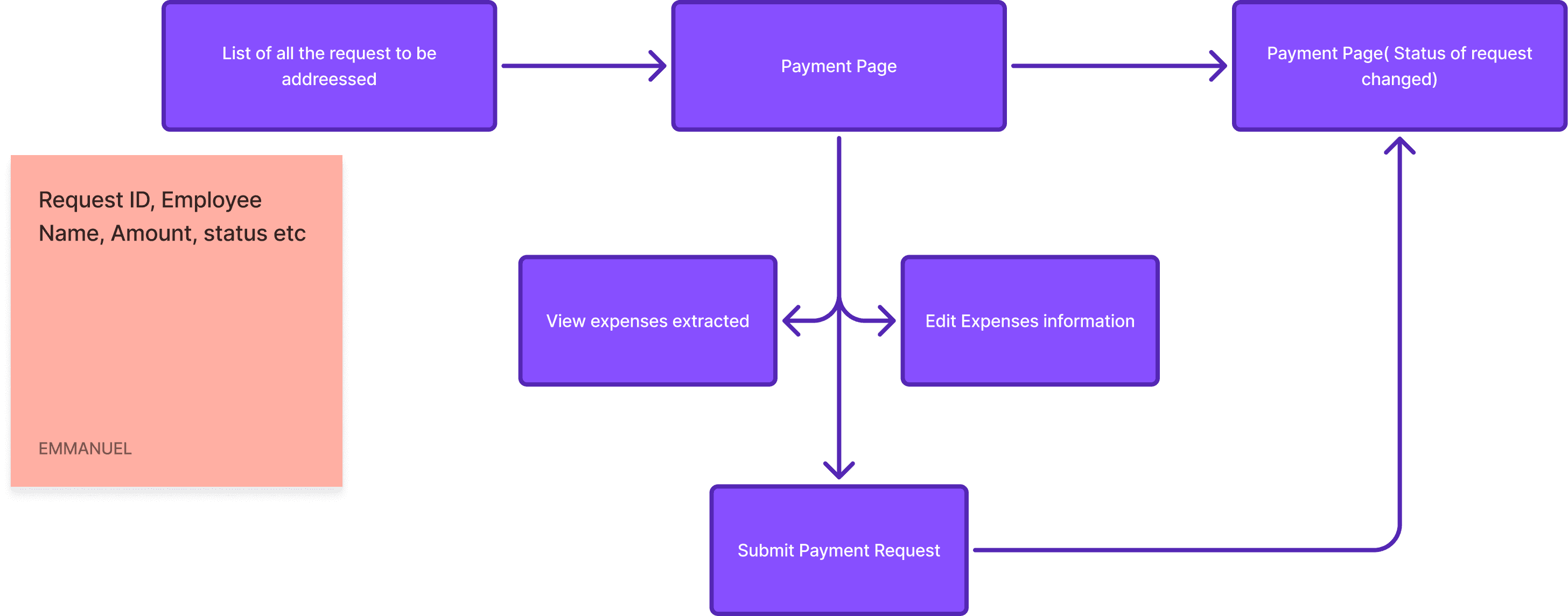
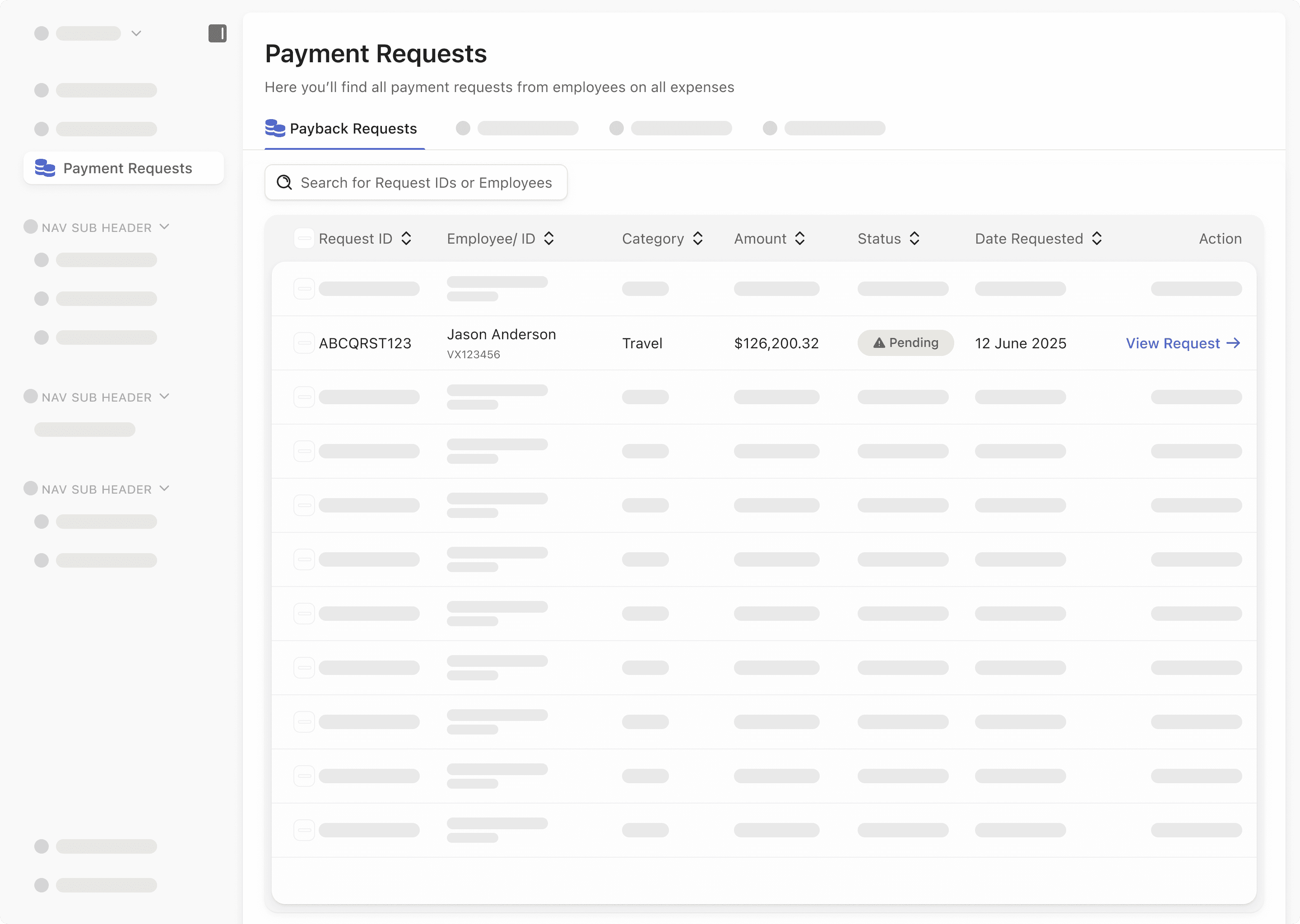
The flow starts with a table listing of all the payment requests, each starting with a Request ID. This was done so that documentation can be referenced at any time in the future. Review the AI extracted fields and manually enter any missing information (those that AI didn't catch),
Other important fields like Category, Amount, Status, Date Requested are also to also mirror referencing in the banking system
The action field having the “View Request” is for proper accessibility, especially amongst middle-aged users
The view request button takes you to the Payment request page.
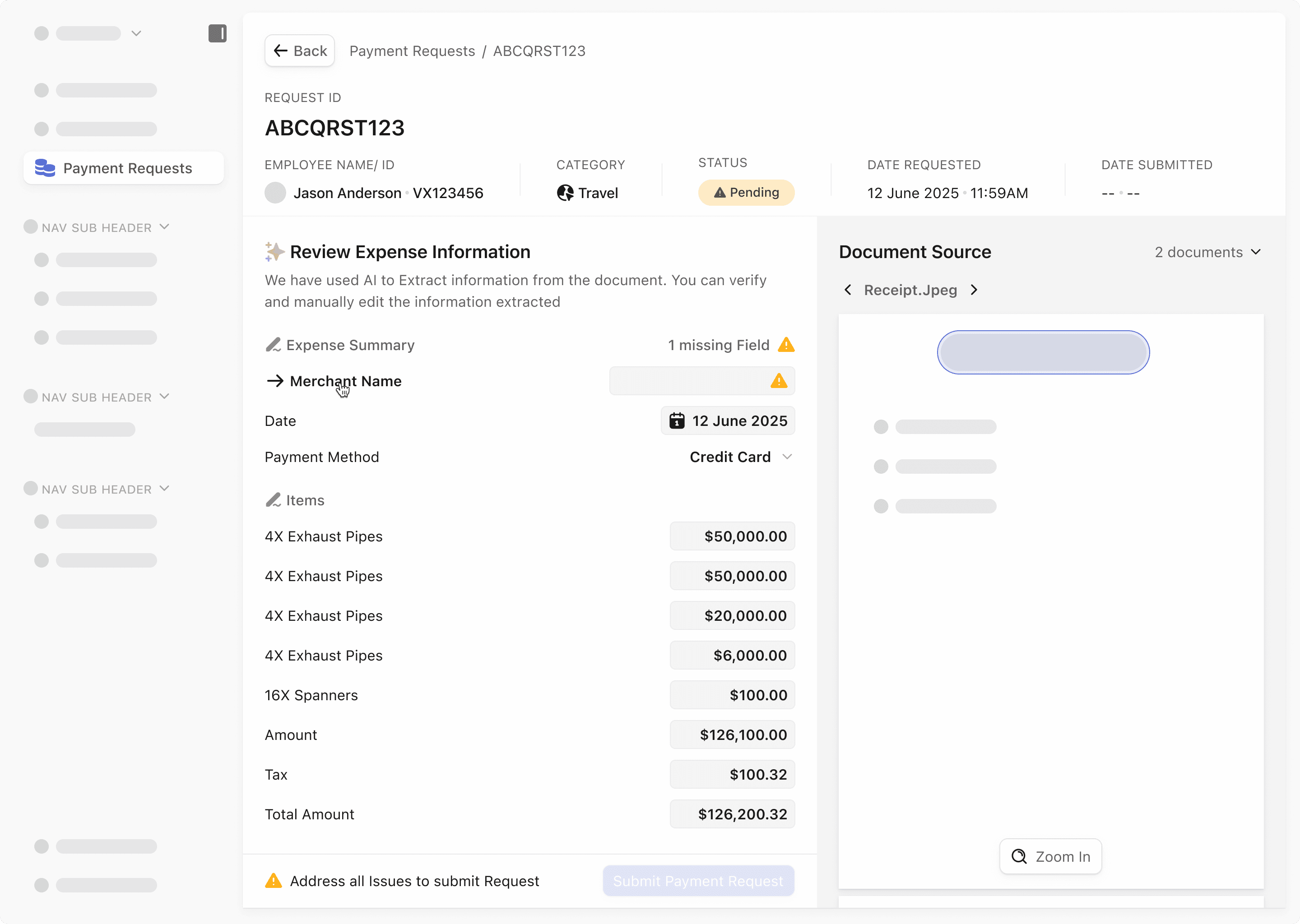
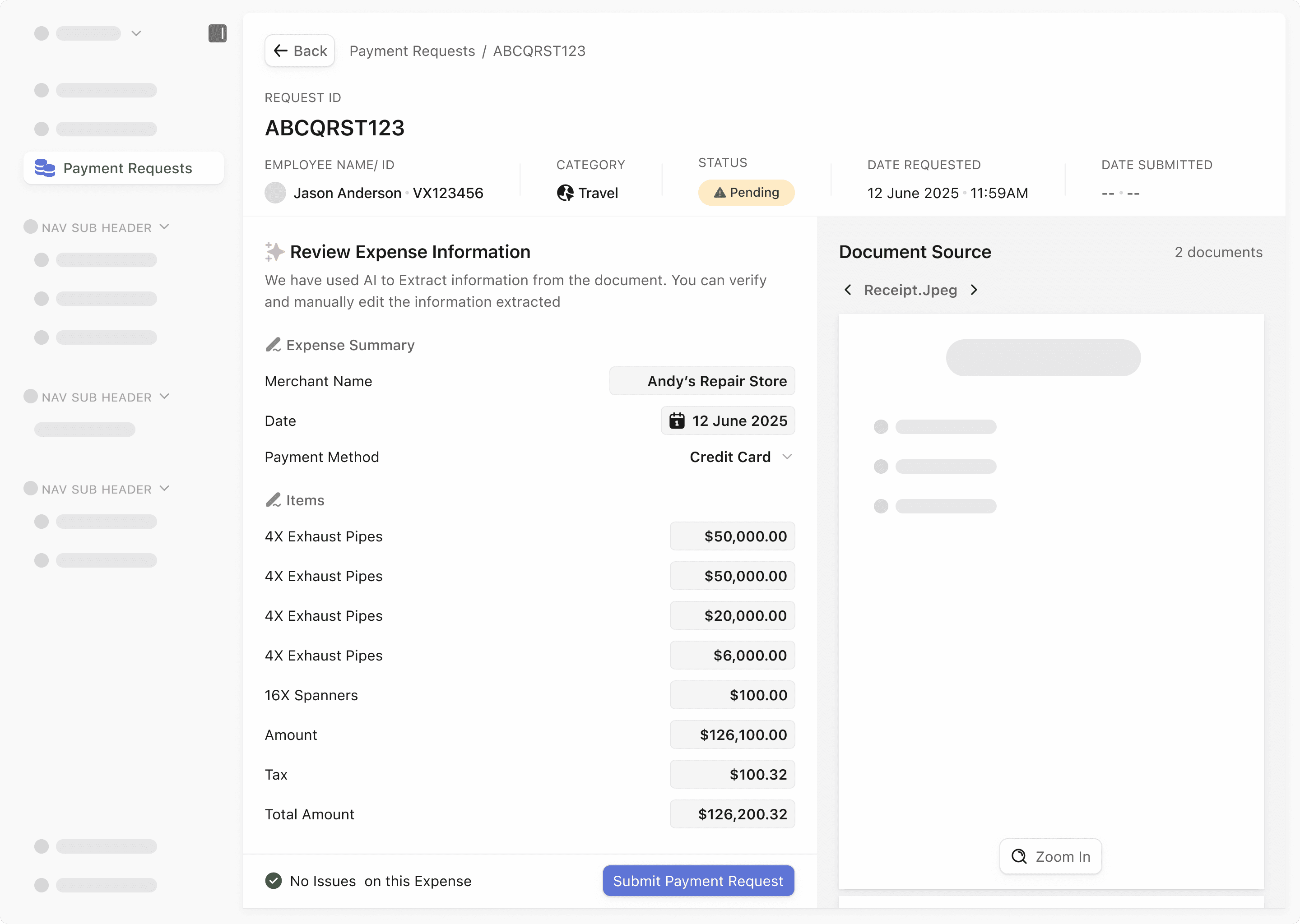
At the top, you have a breadcrumb that lets the user know where they are in the flow. The Page is named the request ID for easy referencing. Following the details, you have all the fields from the table mentioned earlier.
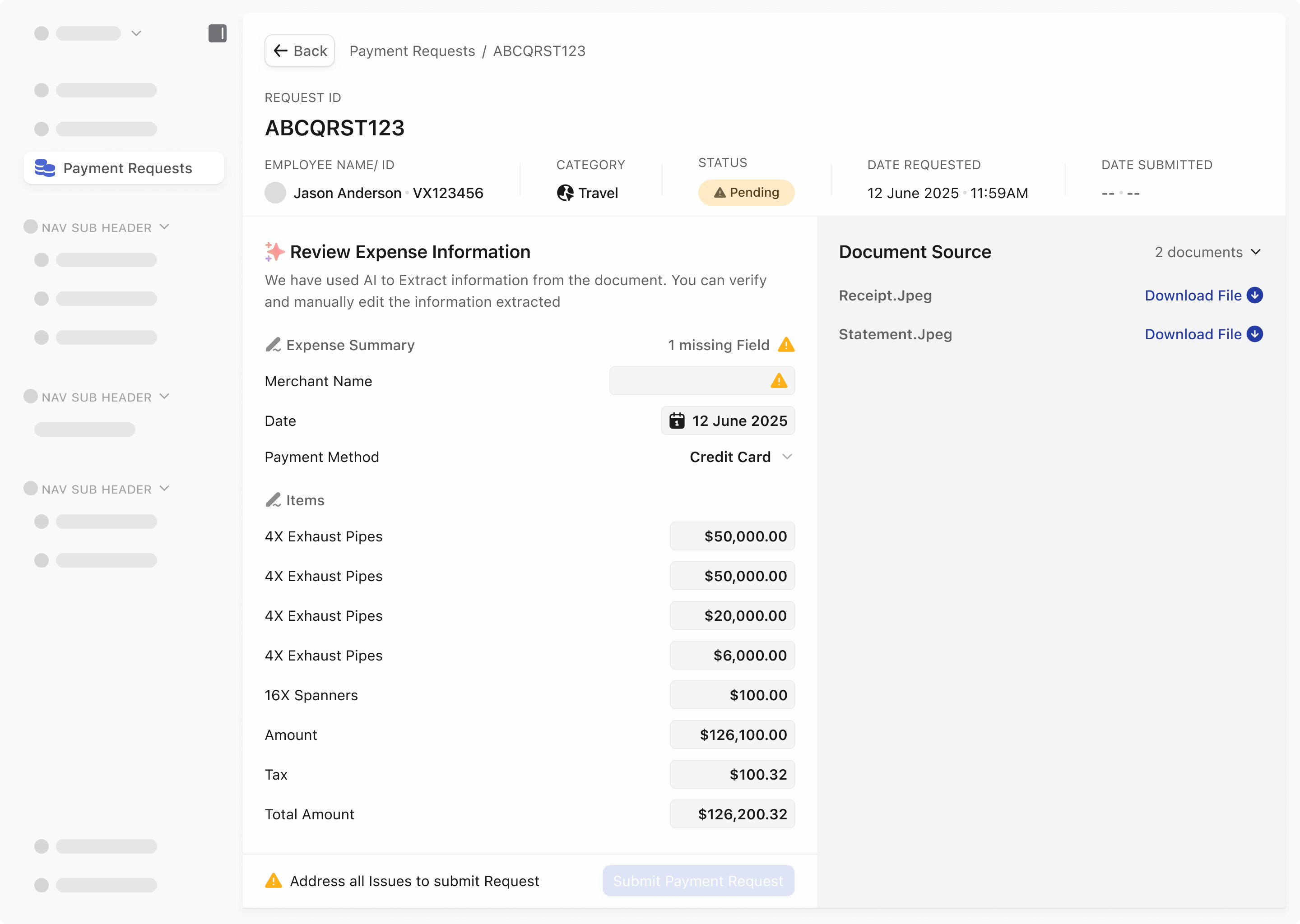
The page is divided into 2. First being the extracted data and the second being the document source. This is for easy review as your go through the data And submit the payment request.
Fields that are missing are highlighted in each section and data point incase there is a long list of data points
On the document source, you can easily switch between the documents uploaded and zoom in for critical assessment.
The primary button “Submit payment Request” is disabled until all issues are solved. This is to discourage over reliance on AI extraction
A download capability was added for users to access offline as they might need to email the employee or have other interactions concerning this document outside the application.
After all issues have been solved, the primary button is active and users confirm.
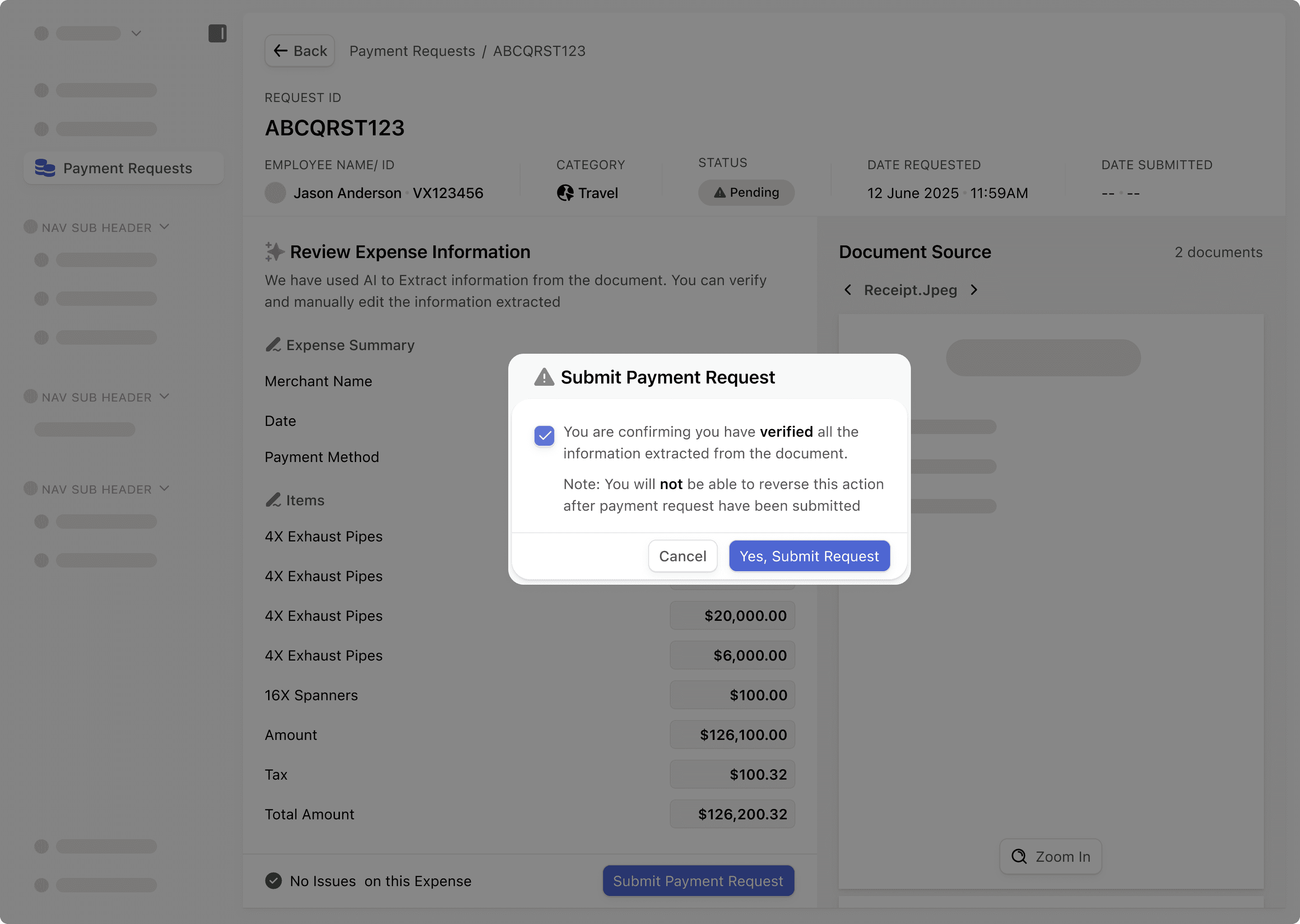
A checkbox was added to the confirmation as a form of additional security for the user
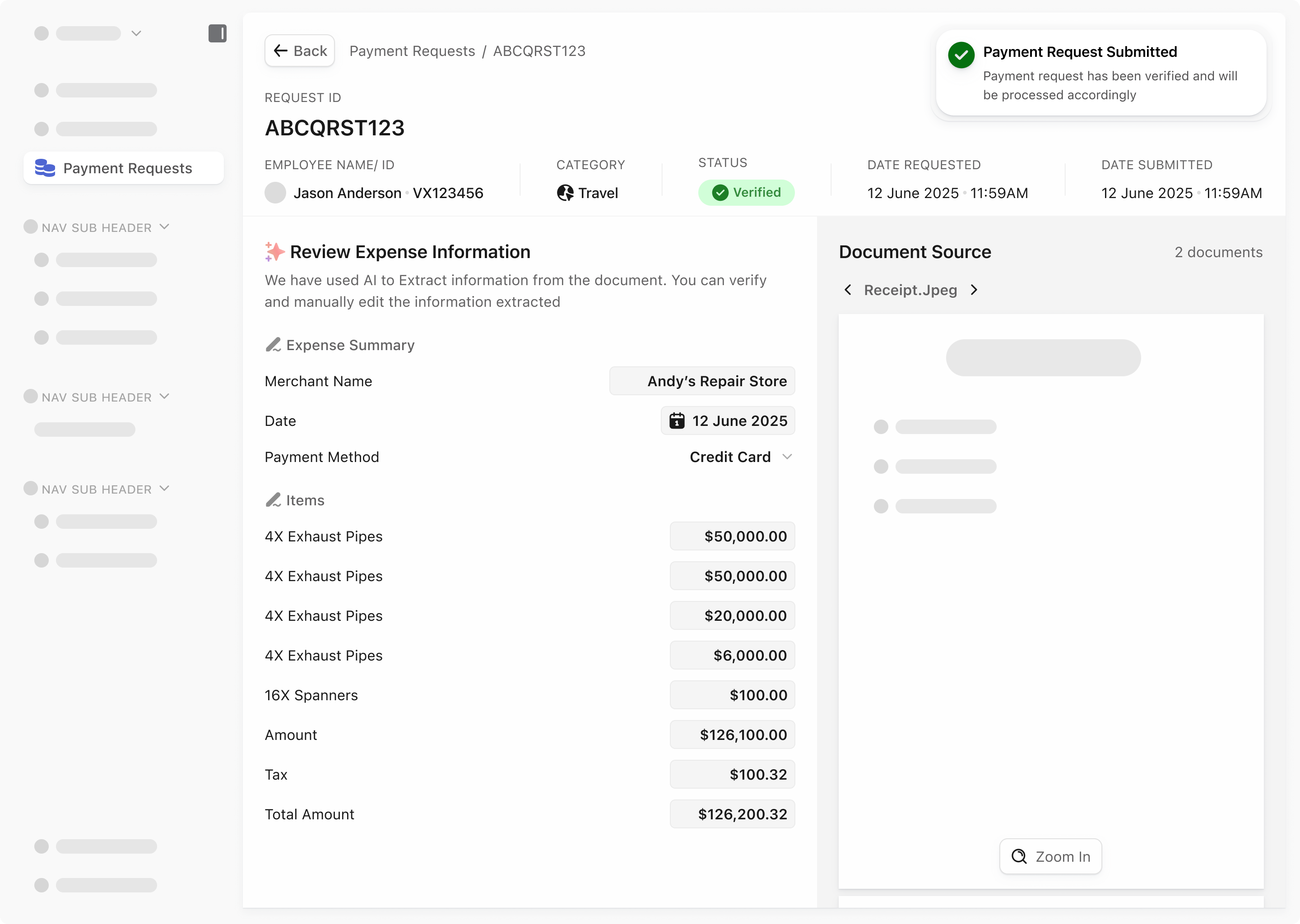
There is a toast to signal to the user that the submission has gone through
The primary button is now taken out as the task on the page has been concluded
Here a flow for THE scenarios
Impact and learning
What did I learn from this?
Micro-interactions and subtle motion like.
✨ Highlights for manual edits
✨ Smooth transitions between documents
✨ Instant confirmations for operator actions
These tiny details don’t just add polish; they guide the user, reduce errors, and make a heavy workflow feel intuitive and alive.
Because in detail-heavy tasks, micro-interactions aren’t decoration; they’re clarity, confidence, and speed.